xshell v1.5.0 is available -
Your AI CLIs.One tiny IDE.
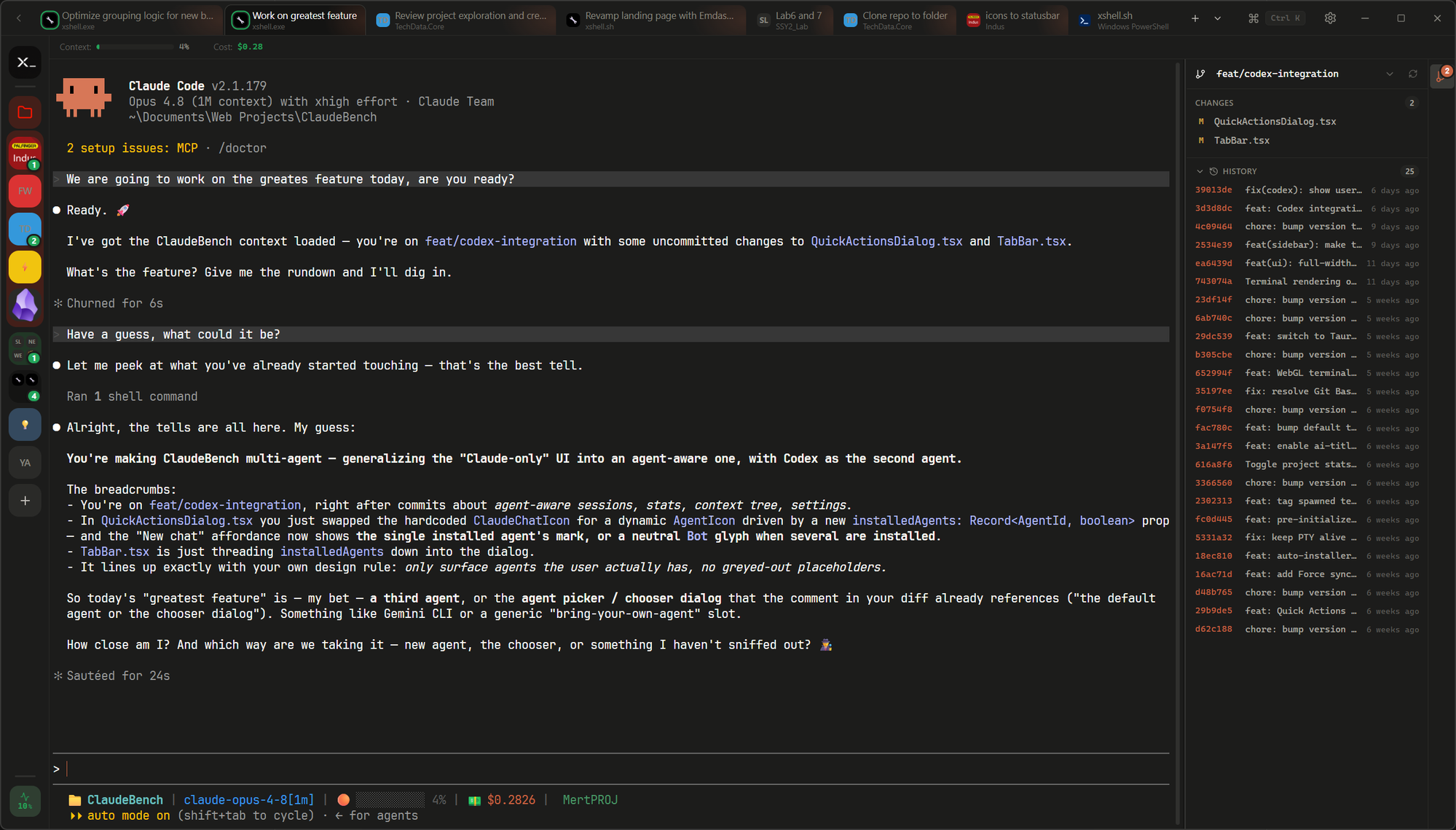
Your AI agents as browser-style tabs. Every project and past session on your machine, one click to resume.
Built on a fast, lightweight stack
What is xshell
Agent-aware. Auto CLI detection.
xshell finds the agent CLIs on your machine and lists their sessions. No setup needed.
Anthropic's coding agent CLI
claudeOpenAI's coding agent CLI
codex
Cursor's coding agent CLI
cursor-agentThe open-source coding agent CLI
opencode
Google's coding agent CLI
agysoonA closer look
Everything you need, in one window.
The whole tool — terminals, panes, git, and the little touches — without leaving xshell.
Open as many terminals as you want. Claude Code, Codex, plain shells — all tabs in one window.
Group sessions in one pane. Drag a tab into another terminal — they merge into a group and run side by side.
Hit Ctrl+K for quick actions. One palette for every session, project, and command.
Built-in git panel. Stage, commit, and switch branches without leaving the terminal.
Bring your own shell. PowerShell, cmd, Git Bash, zsh, fish — auto-detected, ready in any project.
Group projects into folders. Folders in the sidebar expand on click — badges show what’s running inside.
Keep an eye on your limits. The sidebar chip always shows your 5-hour window — hover it for the full picture.
Customize each project. Name, color, emoji — tell 20 projects apart at a glance.
FAQ
Questions, answered.
Quick answers to the things people ask most before downloading xshell.
Still have a question? Open an issue on GitHub
Download

Get started with xshell
Free, open source, and yours in under a minute. Windows, macOS, and Linux.
Or install from the terminal


Open source, built in public — contributions welcome.